LinkedIn-specific guidance
The strongest LinkedIn image usually feels current, calm, and easy to recognize. Keep the crop close enough for mobile, use simple clothing, and avoid backgrounds that compete with the face.
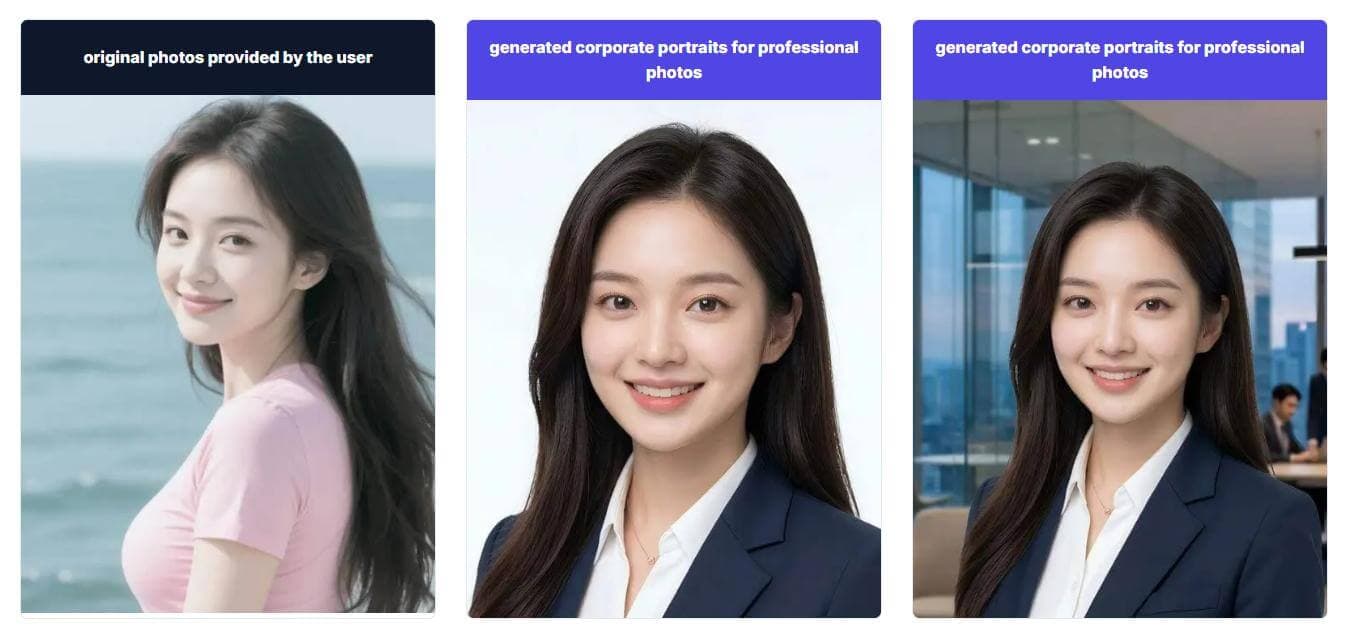
A LinkedIn headshot has to do a different job than a studio portrait. It appears in recruiter search, connection requests, comment threads, sales outreach, speaker bios, and company announcements, often at a very small size. This page is built for professionals who want a clear, approachable image that still feels business-ready. Use it when your current selfie looks too casual, your old corporate photo no longer matches you, or you need a profile refresh before applications, client outreach, or a new role announcement.
LinkedIn profile photo use case
Create a realistic AI headshot for LinkedIn profiles, recruiter search, founder bios, and business networking without booking a studio.
LinkedIn profile photo use case
Create a realistic AI headshot for LinkedIn profiles, recruiter search, founder bios, and business networking without booking a studio.
The strongest LinkedIn image usually feels current, calm, and easy to recognize. Keep the crop close enough for mobile, use simple clothing, and avoid backgrounds that compete with the face.
Use the page as a practical brief before generating, especially when one photo needs to support multiple LinkedIn moments.
Use the page as a practical brief before generating, especially when one photo needs to support multiple LinkedIn moments.
Use a direct, well-lit portrait that stays readable in search results and profile previews.
Choose a confident but approachable look for investor updates, podcasts, and speaking pages.
Avoid overly stylized images; trust matters more than drama in a cold message preview.
The strongest LinkedIn image usually feels current, calm, and easy to recognize. Keep the crop close enough for mobile, use simple clothing, and avoid backgrounds that compete with the face.
Clear face and eye contact
Modern business or smart-casual wardrobe
Neutral background with enough contrast
Expression that feels reachable, not staged
These pages help you adapt the same generation session for a resume, team page, or comparison review.
Plan a consistent profile image for teams and company pages.
Choose a calmer image for CVs, resumes, and applications.
Compare source selfies with generated professional portraits.
Check photo quality, credits, and commercial usage before starting.
Answers focused on LinkedIn profile use, source photos, and style choices.
Yes. Many people use one polished portrait across LinkedIn, company bios, speaker pages, and email signatures, as long as the crop and tone fit each context.
Upload recent selfies with clear lighting, a visible face, and no heavy filters. A few angles help the generator keep your likeness stable.
It should match your field. Corporate, legal, and consulting profiles often benefit from a formal look, while creative or startup roles can use a warmer smart-casual portrait.
Create a realistic AI headshot for LinkedIn profiles, recruiter search, founder bios, and business networking without booking a studio.
Generate LinkedIn headshots