Choosing a versatile professional photo
Aim for an image that can handle multiple contexts. Avoid extreme backgrounds, overly casual clothing, and expressions that only fit one platform.
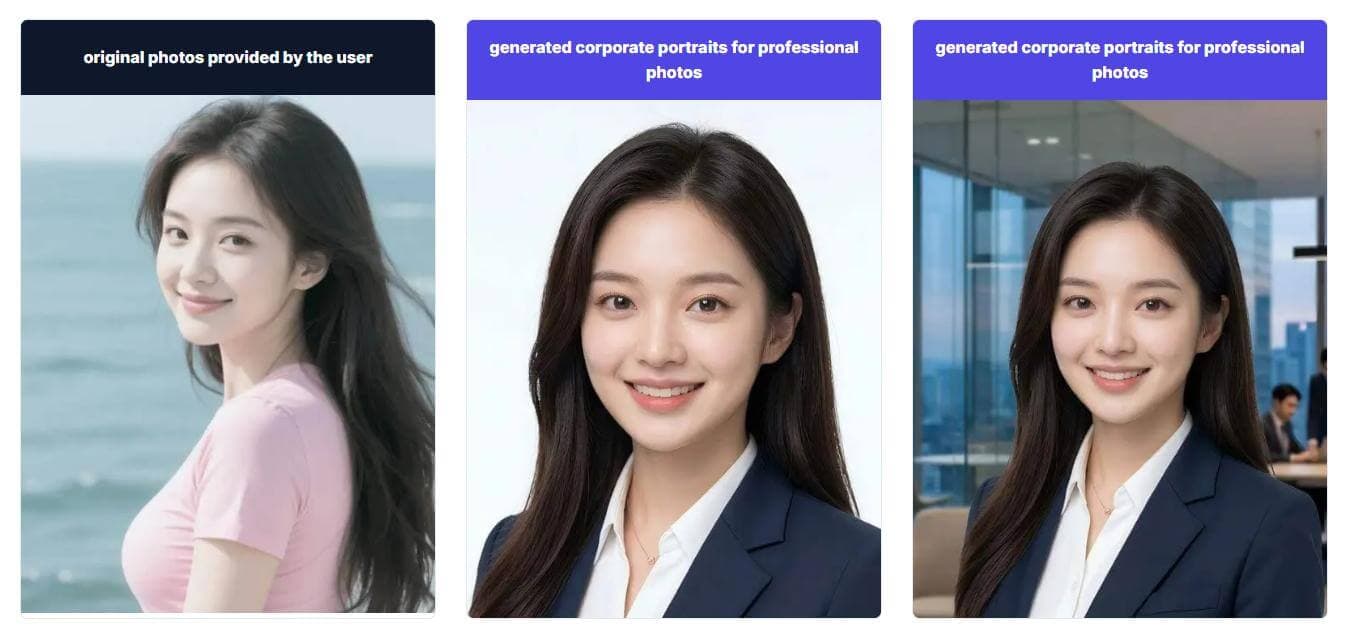
A professional photo is the flexible version of a headshot: not only for LinkedIn, not only for a resume, and not necessarily as formal as a studio portrait. It needs to work across business bios, directories, email signatures, portfolio pages, conference profiles, and internal systems. This page is for people who want one reliable image set that can travel across those contexts. The best result usually looks current, clear, and easy to recognize, with enough polish to feel intentional and enough naturalness to still feel like you.
Professional profile photo use case
Create a professional AI photo for LinkedIn, resumes, bios, directories, websites, and business profiles.
Professional profile photo use case
Create a professional AI photo for LinkedIn, resumes, bios, directories, websites, and business profiles.
Aim for an image that can handle multiple contexts. Avoid extreme backgrounds, overly casual clothing, and expressions that only fit one platform.
Use this page when you need a versatile work image rather than a highly narrow style.
Use this page when you need a versatile work image rather than a highly narrow style.
Create a portrait that works beside service descriptions and contact details.
Use a readable image that still works at small sizes.
Choose a polished but human image for public introductions.
Aim for an image that can handle multiple contexts. Avoid extreme backgrounds, overly casual clothing, and expressions that only fit one platform.
Recognizable face and balanced crop
Wardrobe that fits several work contexts
Background that feels professional but not distracting
Expression that feels confident and human
Use these pages to tune the same source photos for LinkedIn, resume, or studio-style output.
How to create a flexible image for multiple work contexts.
A LinkedIn headshot is tuned for profile discovery. A professional photo is broader and can work on bios, directories, resumes, websites, and signatures.
Yes. Use credits to generate selected styles, then keep the versions that fit different contexts.
Current likeness, clean lighting, simple styling, and an expression that matches the level of trust your role requires.
Create a professional AI photo for LinkedIn, resumes, bios, directories, websites, and business profiles.
Generate professional photos